Kitchen Screen - kitchen screen for automating orders in the kitchen and bar
Forget about paper receipts! Kitchen Screen shows all orders on the screen in real time, helping the kitchen work faster and without errors.
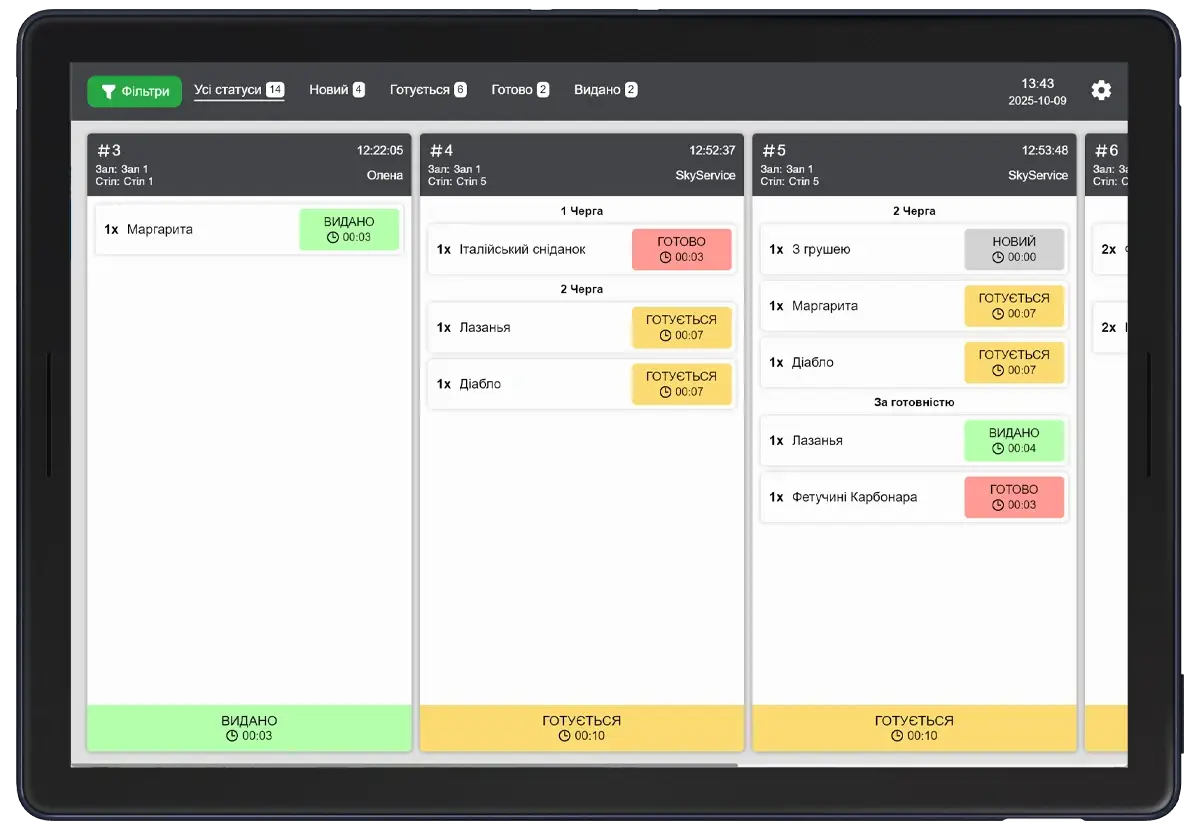
What features does Kitchen Screen provide?
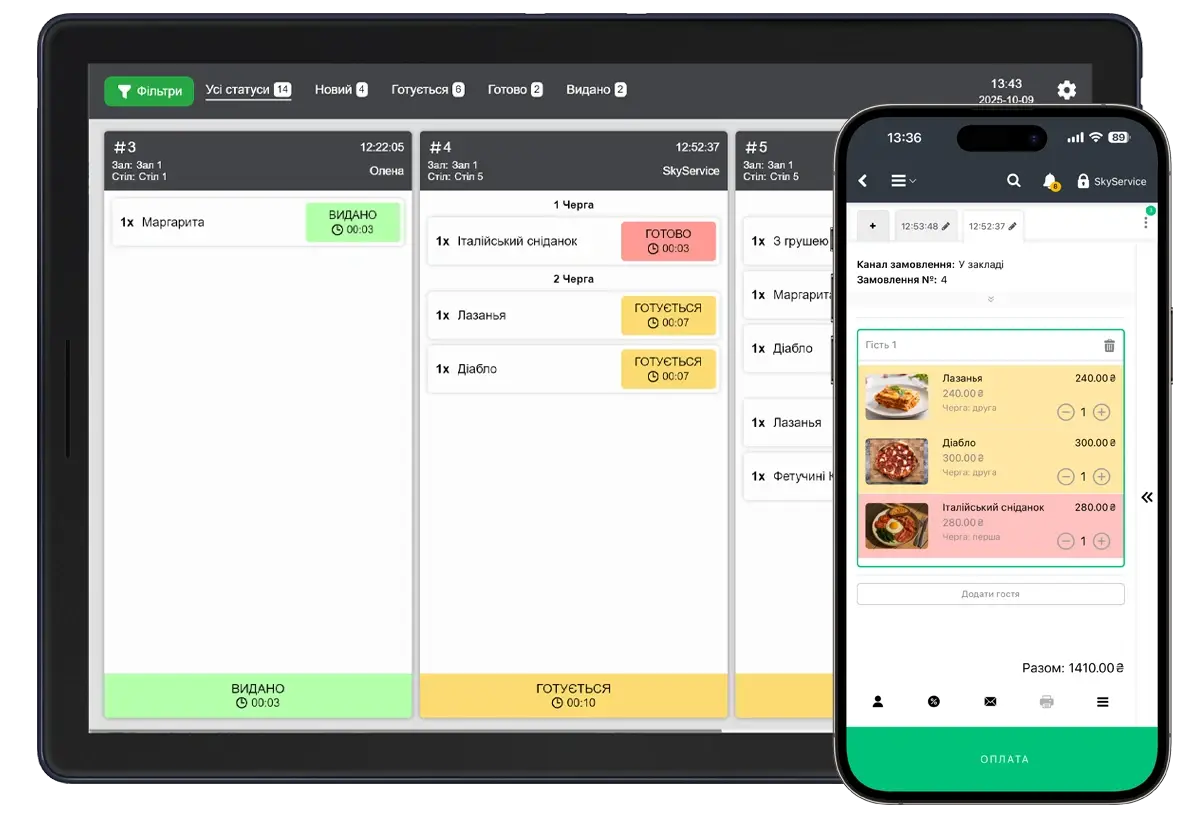
All new orders automatically appear on the kitchen screen immediately after they are created in the POS terminal.
The chef sees the dish, comments, execution queue, and status — without the need for printed receipts.
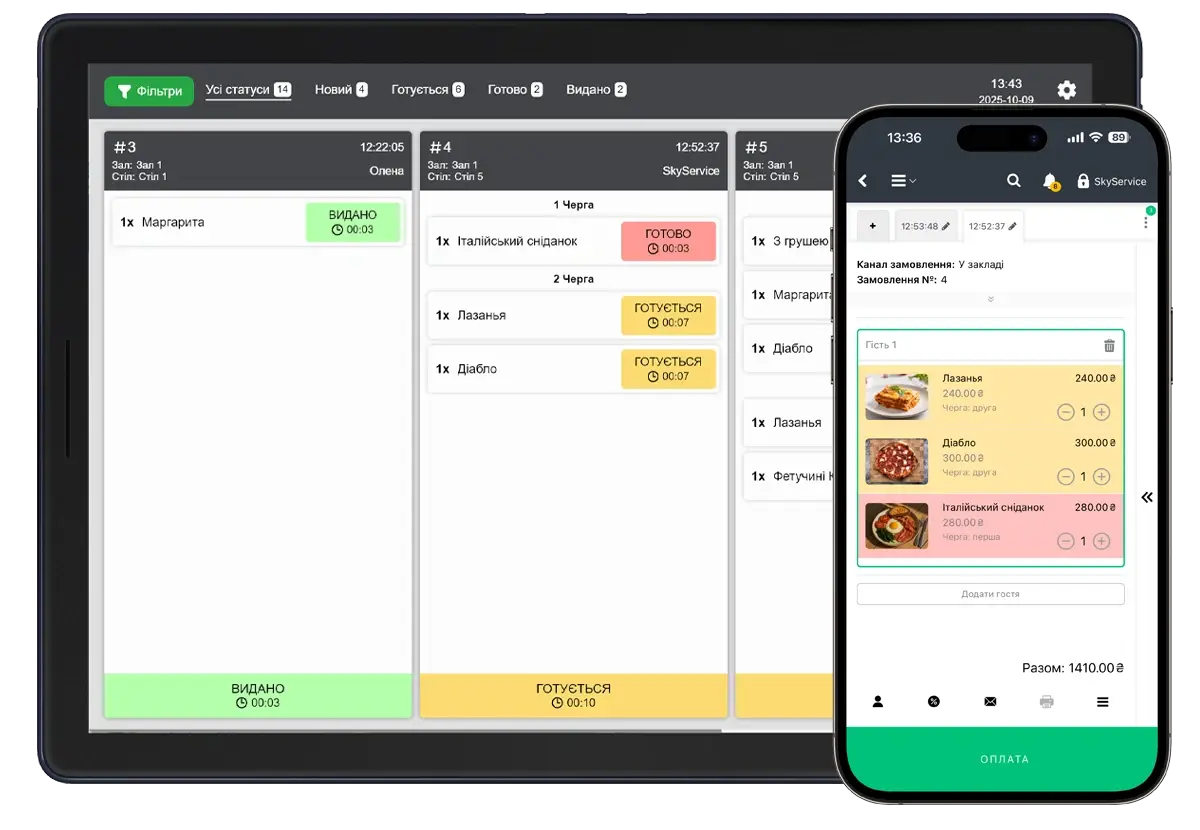
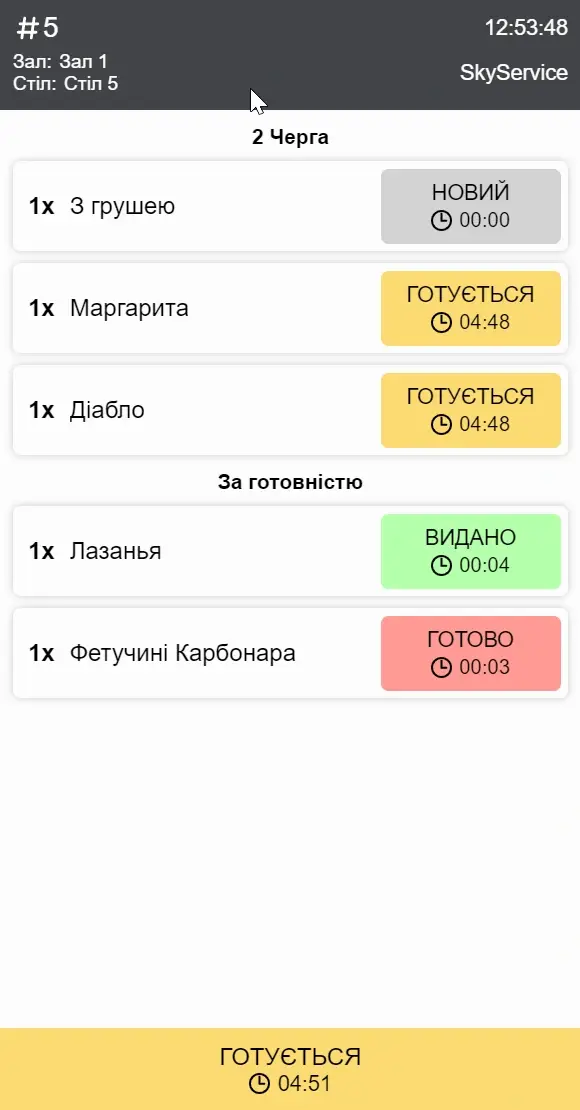
On the screen, chefs will see the order of cooking dishes.
Use different statuses — “Cooking,” “Done,” “Served.” This allows staff to track the status of a dish in the kitchen.
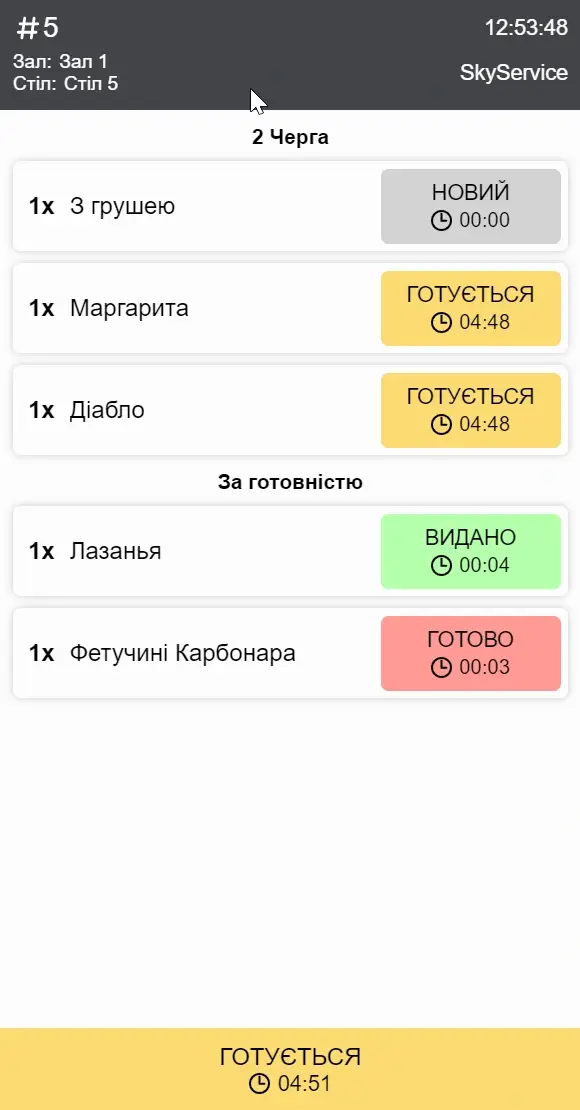
Instead of paper runners, all orders are displayed directly on the kitchen screen. This saves consumables, speeds up staff work, and eliminates the risk of losing receipts.
FAQ answers questions
What operating modes are supported?
Fast food - orders are sent to the kitchen only after payment. Restaurant - after pressing “Cook” at the cash register. Cooking queues are available for the convenience of chefs.
Do I need a printer to use Kitchen Screen?
No. Kitchen Screen completely replaces kitchen printers, displaying all orders on the tablet or monitor screen.
How does the chef see the order statuses?
The screen displays all current orders with clear statuses: “Waiting”, “Preparing”, “Done” or “Served”. The chef can change the status manually by pressing the appropriate button, after which the waiter will receive a notification about readiness.
Can I customize the appearance of the scoreboard?
You can change the interface language, font size, how orders are displayed (horizontally or vertically), and choose a design theme — the color scheme of the entire application.
What should I do if orders are not displayed on the screen?
Check if the devices are connected to the point of sale and if the Kitchen Screen app is active in the apps.
TRY SKYERVICE POS FOR FREE
Just sign up and get started. The first 14 days are free.
Try for freeHaving trouble downloading the Kitchen Screen app?
If you have any questions about setting up Kitchen Screen, please contact the technical support chat or contact center for advice.