Delivery module in Skyservice POS
Take delivery orders right at the Skyservice POS terminal — customer address, courier assignment, real-time statuses and zones. Use your own couriers or connect Uklon Delivery and Glovo.
What is the Skyservice POS delivery module?
The delivery module is the part of Skyservice POS built for venues that send orders to homes or offices. A delivery order is created right in the checkout module: the cashier enters the recipient's address, the order contents, time and payment method — and the order joins the general flow together with the receipt, kitchen ticket and financial records. No separate notebooks, messengers or parallel systems: everything runs inside Skyservice, with a customer database and analytics.
How does delivery work in Skyservice POS?
A cashier or operator builds a delivery order: picks items from the menu, enters the customer's address and phone (the address is pulled from the database if the customer has ordered before), and records the payment method — cash, card to the courier or online. The order is instantly printed to the kitchen and added to the list of active deliveries.
Next the order is assigned to a courier, and its status updates in real time: Preparing → Handed to courier → On the way → Delivered. The full delivery history is stored in the customer database — addresses, average check, order frequency. This is the foundation for repeat sales and personalized offers.
Scenario: a peak evening at a pizzeria
Friday, 7 p.m. — delivery orders pour in at the same time from the phone, the website and the aggregators. It used to be that the operator jotted addresses in a notebook, duplicated them to couriers in a messenger and lost track of who had already taken what. Now every order is created in Skyservice POS: the address is pulled from the regular customer's record, the contents are printed straight to the kitchen, and the order drops into the list of active deliveries. The operator assigns a free courier, and the status moves through "Preparing" — "Handed to courier" — "On the way" — "Delivered". Orders from Glovo arrive at the same till automatically. At the end of the evening, delivery revenue is visible as a separate channel — with no adding up figures by hand.
Assigning orders across couriers
If you run your own courier team, the module lets you assign an order to a specific courier, see their workload and track the status of every delivery. You control who carries which order, when it is accepted and delivered — with no phone calls or confusion. The history for each courier helps you measure performance and set up incentives.
Integration with Uklon Delivery and Glovo
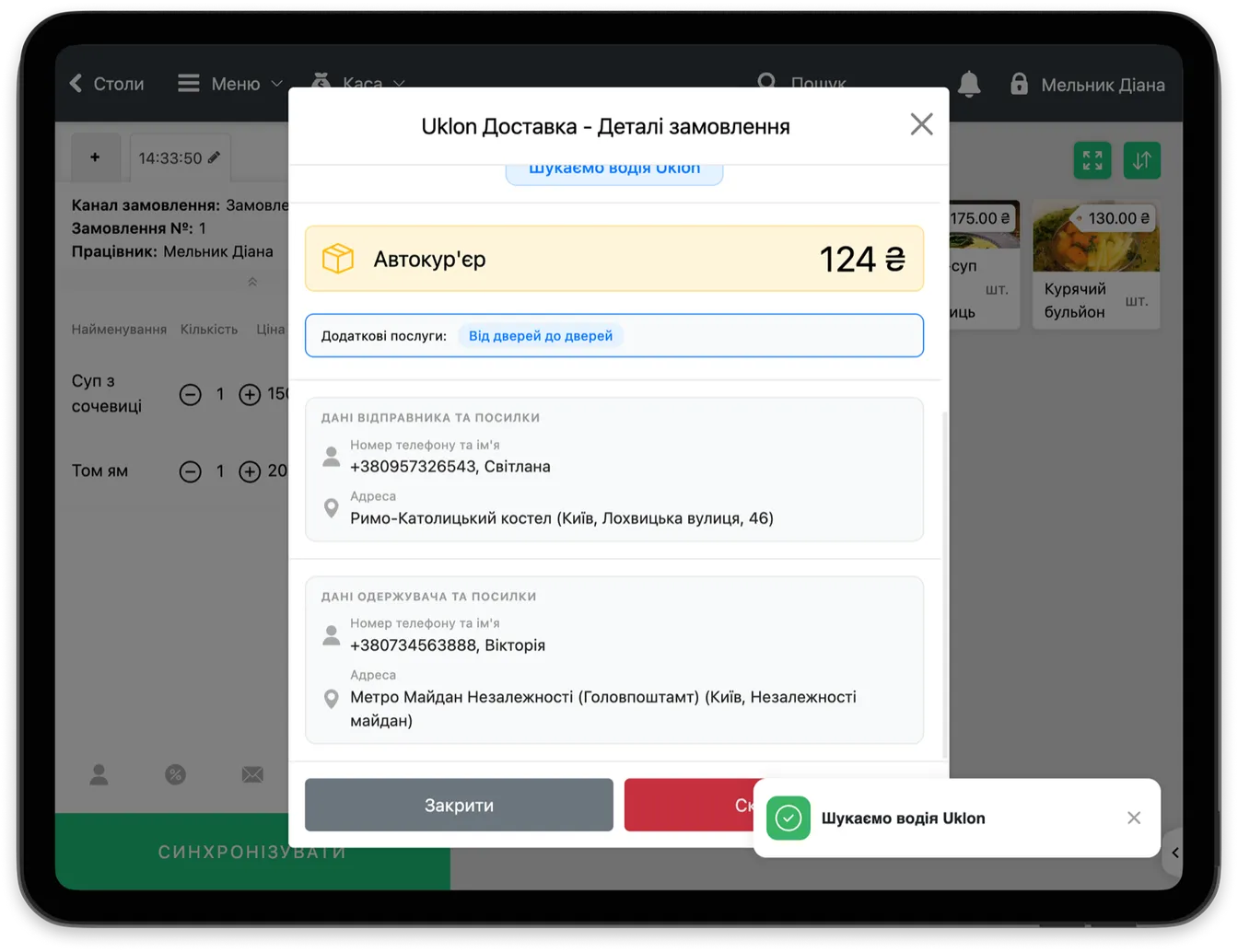
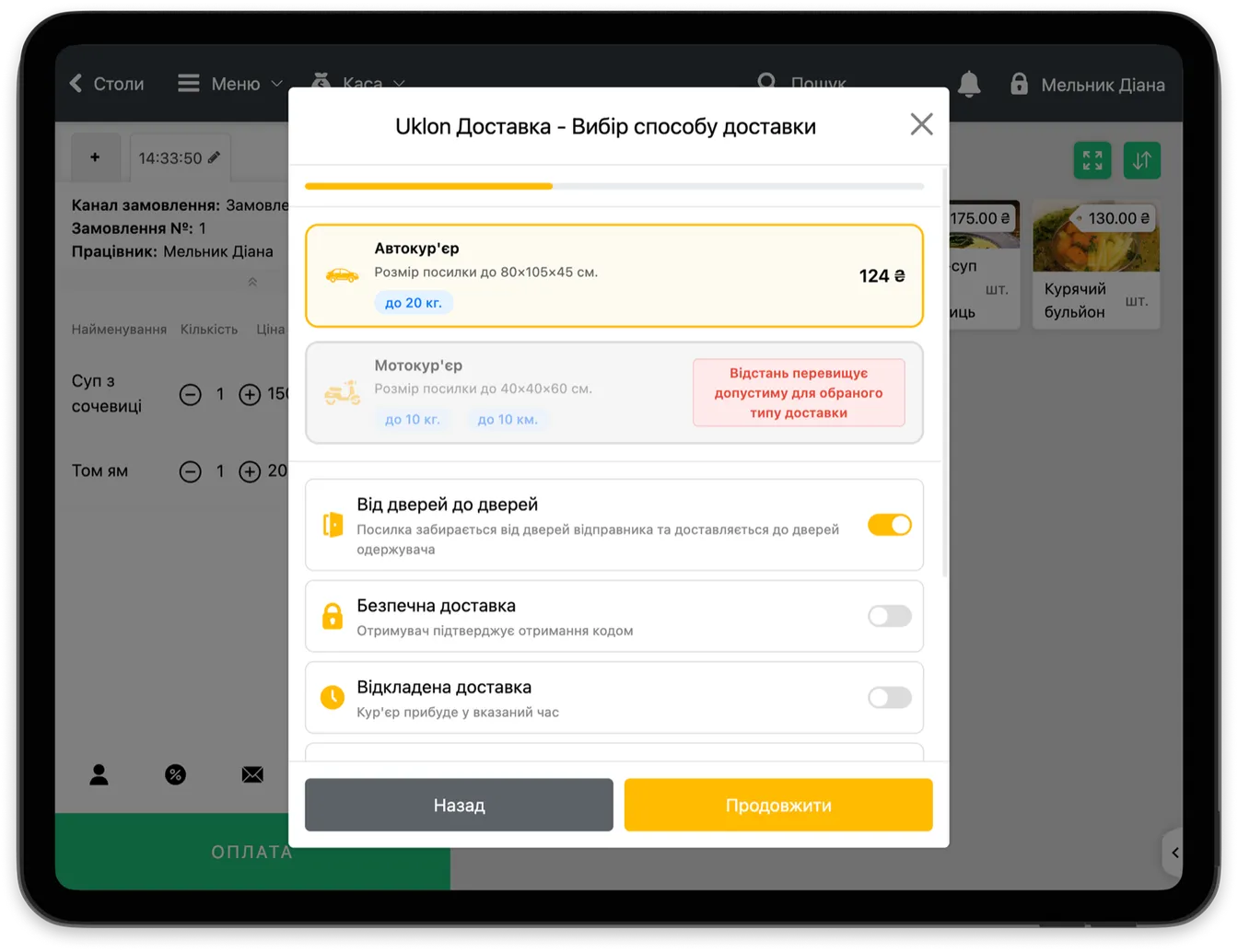
If you have no couriers of your own or run short of them, Skyservice POS connects to courier services. Uklon Delivery lets you call a courier straight from the till across 24 Ukrainian cities, while Glovo automatically pushes aggregator orders into your till with menu sync. That way you scale delivery without keeping your own fleet.
Analytics for delivery as a separate channel
Delivery in Skyservice POS is tracked as a separate sales channel. In the financial reports you can see delivery's share of overall turnover, the average check on a delivery order, the day-by-day trend and the most popular items. That lets you make decisions based on numbers: when to run promotions, which dishes sell well for takeaway, and how effective your own couriers are compared with the aggregators. Delivery stops being chaos on the phone and becomes a managed channel with predictable revenue.
Who the delivery module is for
The delivery module is a fit for restaurants, cafés, pizzerias, sushi bars, bakeries, shops and dark kitchens that work on takeaway and delivery. It is especially useful for venues where delivery makes up a large share of turnover: without a single system, orders get lost, addresses get mixed up, and delivery revenue is tracked separately from the dining room.
How to set up delivery in 3 steps
- 1Turn on the delivery module. In the Skyservice POS settings, enable delivery and set your zones and terms — a minimum order and a delivery fee by zone.
- 2Choose your delivery method. Use your own couriers, connect Uklon Delivery and Glovo, or combine them — it is all managed from a single till.
- 3Take and manage orders. Create orders with the customer's address, print to the kitchen, assign a courier and track the status through to "Delivered" — all in real time.
Notebook and messengers vs the delivery module
| What we compare | Notebook + messengers | Skyservice delivery module |
|---|---|---|
| Creating an order | Write it by hand, duplicate to the courier | From the till, with receipt and kitchen at once |
| Customer address | Ask for it from scratch every time | Pulled from the regular customer database |
| Assigning couriers | Calls and messages | Assignment and statuses in the system |
| Aggregators (Glovo) | A separate tablet, manual re-entry | Orders arrive at the till automatically |
| Tracking delivery revenue | Add up the figures by hand | A separate channel in the financial reports |
What the Skyservice POS delivery module gives you
Skyservice POS with the delivery module lets you:
- Create delivery orders right from the till — with receipt, kitchen and accounting
- Distribute orders across your own couriers and keep statuses under control
- Scale delivery through Uklon Delivery and Glovo without your own fleet
- Build a customer database — addresses, history, average check for repeat sales
- See delivery revenue as a separate channel in financial reports
Frequently asked questions about the delivery module
Can I operate without my own couriers?
Yes. Skyservice POS integrates with Uklon Delivery (call a courier from the till across 24 Ukrainian cities) and Glovo (aggregator orders arrive at the till automatically). You can deliver with your own couriers, through services, or combine both options.
Is delivery revenue tracked separately?
Yes. Delivery revenue appears as a separate channel in Skyservice financial reports — it is not mixed with dine-in sales. You can see delivery's share of turnover, the average check and the trend over time.
How much does the delivery module cost?
Delivery functionality is available in Skyservice POS. You can try the system free for 14 days with no bank card and evaluate delivery on real orders. The Uklon Delivery and Glovo integrations have their own service pricing.
Is a regular customer's address pulled in automatically?
Yes. If a customer has ordered before, their address and phone are stored in the database and pulled in for a new order. The operator doesn't have to ask for the details from scratch every time — which speeds up taking the order.
Can I combine my own couriers with the aggregators?
Yes. You can deliver some orders with your own couriers and, at peak load, bring in Uklon Delivery and Glovo. All orders are managed from a single till, regardless of the delivery method.
How is an order sent to the kitchen?
The contents of a delivery order are printed straight to the kitchen or sent to the kitchen screen — just like a dine-in order. The cook sees what to prepare with no extra steps from the operator.
Can I see how much each courier has completed?
Yes. The delivery history for each courier shows the number of completed orders and the totals. This helps you measure performance, set incentives and calculate pay for your own courier service.
Skyservice POS — delivery module POS for restaurants and shops
If you are looking for a restaurant delivery management tool for a venue or shop, Skyservice POS covers it right at the till. Delivery orders are created with the customer address, assigned across couriers, and statuses are visible in real time. To scale, connect Uklon Delivery and Glovo. Delivery revenue is tracked as a separate channel. Try this food delivery POS system free for 14 days.
TRY SKYSERVICE POS FOR FREE
Just sign up and get started. The first 14 days are free.
Try for freeOther Skyservice POS features


Need help setting up delivery?
Our support team will help you configure the delivery module, zones and courier-service integrations for your venue. Message the Skyservice technical support chat or give us a call — consultations are free.