Finance Module: P&L, CashFlow and full control over your business cash
A paid Skyservice POS app that gives you a complete financial picture of your business instead of manual spreadsheets: profit and loss statement (P&L), cash flow report (CashFlow), financial calendar, counterparty accounting and flexible income and expense categories — all inside your POS.

What is the Skyservice Finance Module
The Finance Module is a separate paid Skyservice POS app for management accounting. It brings all of your business cash together in one place and shows not just POS revenue, but true profitability: how much you earned, how much you spent and on what, and what's left. Instead of piecing numbers together in Excel, you get ready-made P&L (profit and loss) and CashFlow (cash flow) reports, a financial calendar and counterparty balances. Data is pulled automatically from sales, cash registers and accounts — the only thing you enter manually is what the POS can't see (rent, salaries, supplier services).
How the Finance Module works
After activation you choose an accounting mode: "operating activity only" — the simple option for cafes, stores and salons that only have income and expenses from their core business; or "all activity types" — when you also need to account for financing activity (loans, deposits) and investing activity. Next, you set up income and expense categories and, if needed, staff access rights to reports.Every transaction is broken down by activity type and category, so the reports build themselves. P&L shows gross, operating and net profit; CashFlow shows where the money came from and where it went; the calendar shows day-by-day cash movement with a running balance; the counterparties section shows who owes you and who you owe. Everything can be filtered by period and by location.
Scenario: there's revenue, but no cash
The POS shows healthy revenue, but at the end of the month the account is empty — a familiar situation. You open P&L and see: gross profit looks fine, but rent and salaries are eating up operating profit. You switch to CashFlow and see that a large supplier payment landed in a bad week. The financial calendar shows these cash gaps in advance, and the counterparty balance reminds you that a customer in debt still hasn't paid. Instead of guesswork — concrete numbers and decisions: when to pay, who to negotiate a deferral with, where to trim costs.
The reports you get
The Finance Module builds key management reports automatically — you don't have to calculate anything by hand:
P&L report (profit and loss)
The core profitability report: income minus expenses, gross, operating and net profit, with a chart and filters by period and location. When needed, P&L also factors in stocktake results and financing and investing activity. You can see at a glance whether the business is making money.
CashFlow (cash flow)
A detailed cash flow report: opening balance for the period, all receipts and expenses broken down by activity type, and transfers between accounts. It shows where money really comes from and where it goes.
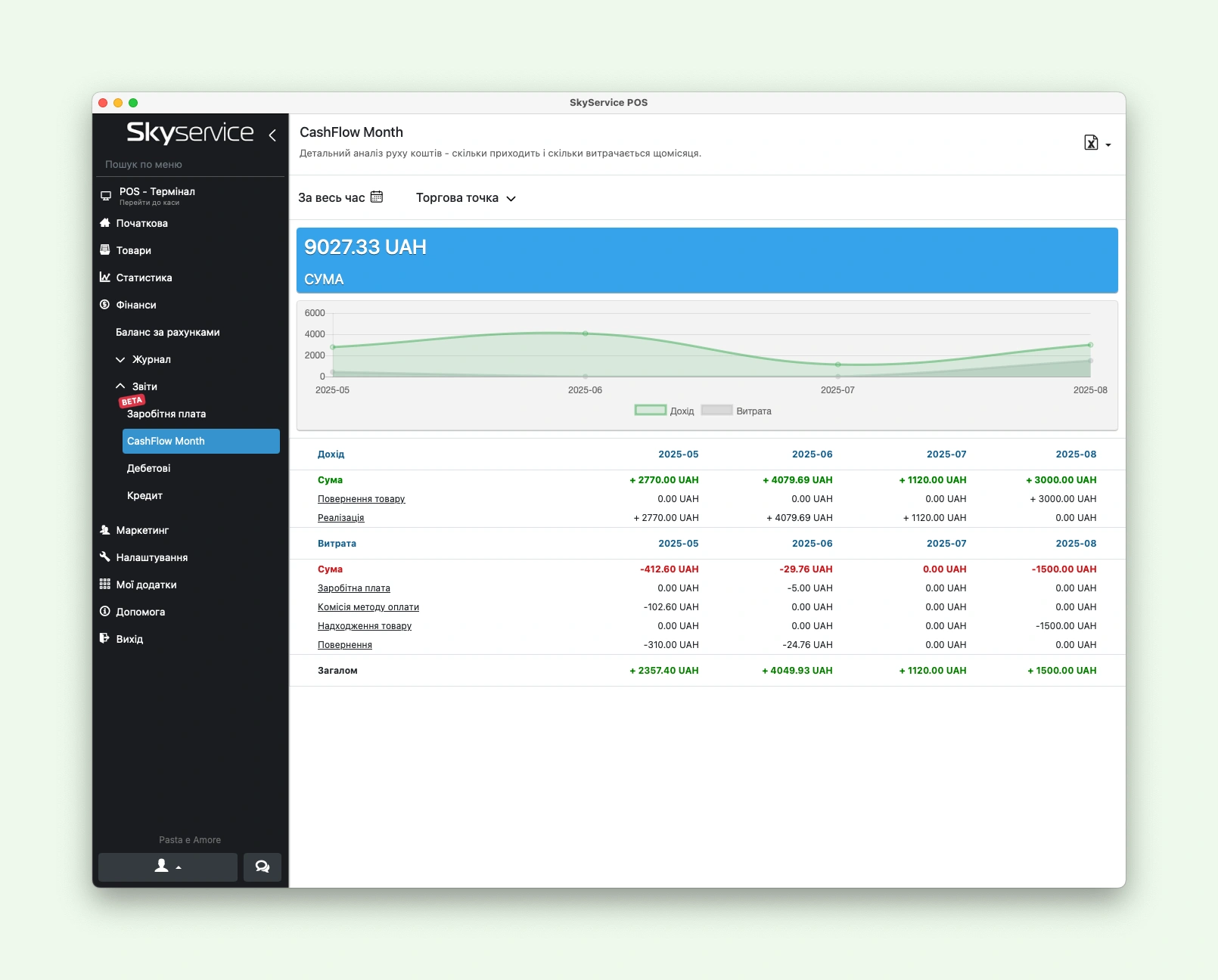
CashFlow by month
A simplified overview of cash flow without the details, with balance charts. Available to all users — a quick look at your cash position for the month without diving into specifics.
Financial calendar
Day-by-day cash movement: receipts and expenses for each day and a running balance. Right from the calendar you can create a document, view balances or transactions — and spot upcoming cash gaps ahead of time.
Counterparties
Every party your business deals with: suppliers, customers, employees, banks, tax authorities. The counterparty balance shows who owes whom (a positive value means they owe you), and the transaction history keeps a record of all mutual settlements.
How to enable and set it up in 4 steps
- 1
Activate the module
Open Apps → View all applications (or "My apps → All apps") and enable the Finance Module. It's a paid app — once activated, all of its sections appear in the Admin panel.
- 2
Choose an accounting mode
In the settings, select "operating activity only" for a cafe, store or salon — or "all activity types" if you manage loans, deposits and investments. Here you also choose what to include in P&L (stocktakes, financing and investing activity).
- 3
Set up income and expense categories
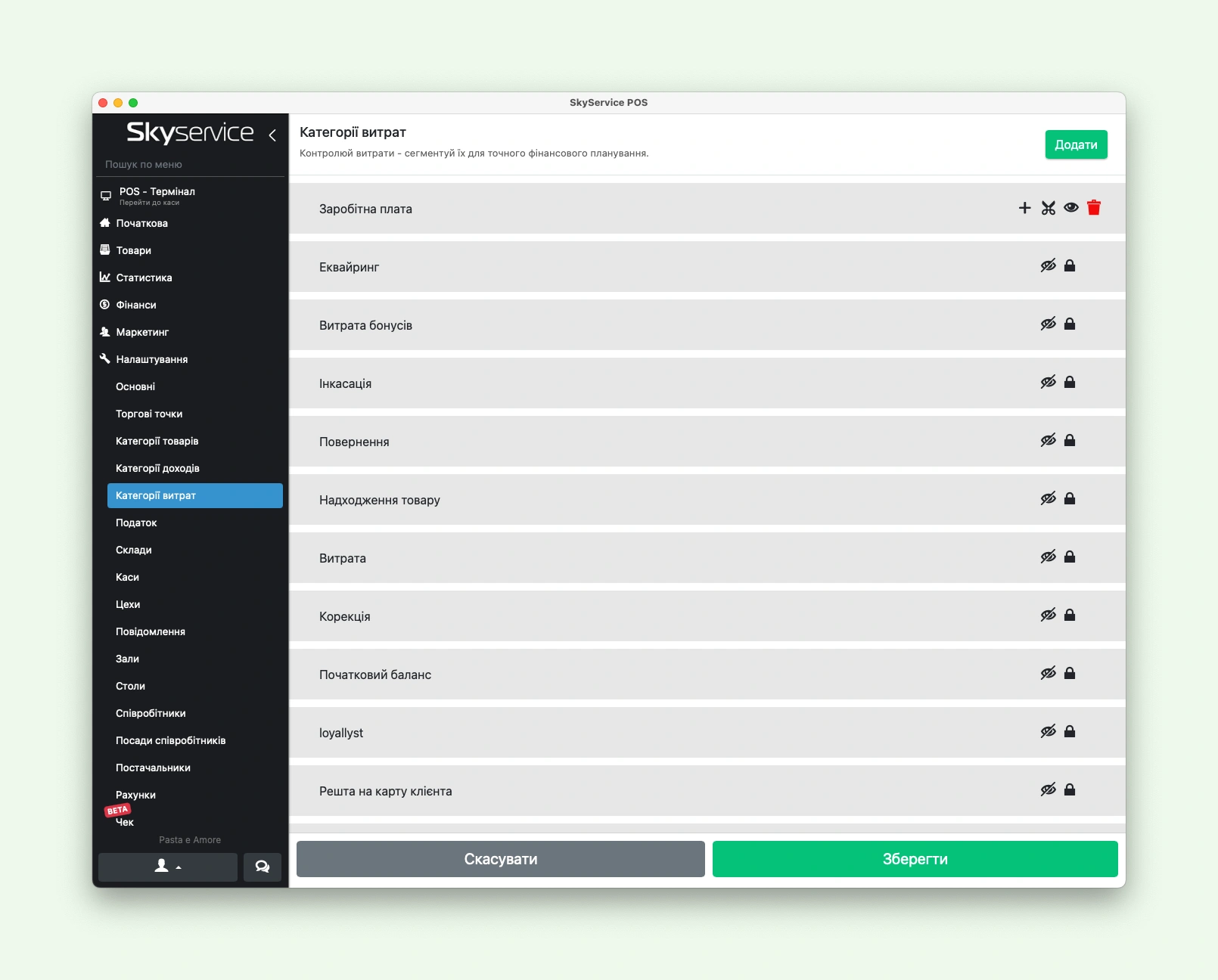
Use the built-in (system) categories — rent, salary, debt repayment — or create your own: with a parent category, activity type, report visibility and a counterparty group. This way every transaction lands in the right report automatically.
- 4
Assign access rights
In Settings → Employees, define who sees which reports and sections. For example, give the manager the full P&L and CashFlow, and the administrator only the simplified monthly CashFlow. After that, all that's left is to read the ready-made reports.
Excel spreadsheets vs. the Finance Module
| What matters | Manual spreadsheets | Skyservice Finance Module |
|---|---|---|
| Data source | You enter numbers by hand — easy to make mistakes | Data from registers, sales and accounts is pulled automatically |
| P&L report | You have to build the formulas yourself | Gross, operating and net profit — already calculated |
| Cash flow (CashFlow) | A separate spreadsheet that's easy to forget to update | Detailed and simplified CashFlow with an activity-type breakdown |
| Cash gaps | You notice them only when the money has already run out | The financial calendar shows them in advance |
| Counterparties and debts | Kept in your head or in a separate file | Balance and history for each counterparty in the system |
| Staff access | Either everyone sees the file or no one does | Flexible rights: each person sees only their own reports |
Finance Module features
Beyond ready-made reports, the module gives you tools to keep accounting accurate and convenient for your specific business:
Income and expense categories
Built-in system categories and custom ones with subcategories, counterparty groups and control over what appears in reports.
Activity types
Operating, financing and investing activity are kept separate — profit from your core business isn't mixed up with loans and investments.
Flexible access rights
Configure permissions for reports and sections for each employee via Settings → Employees.
Stocktakes in P&L
Optionally, stocktake results are factored into the profit and loss statement — profit is calculated adjusted for actual stock on hand.
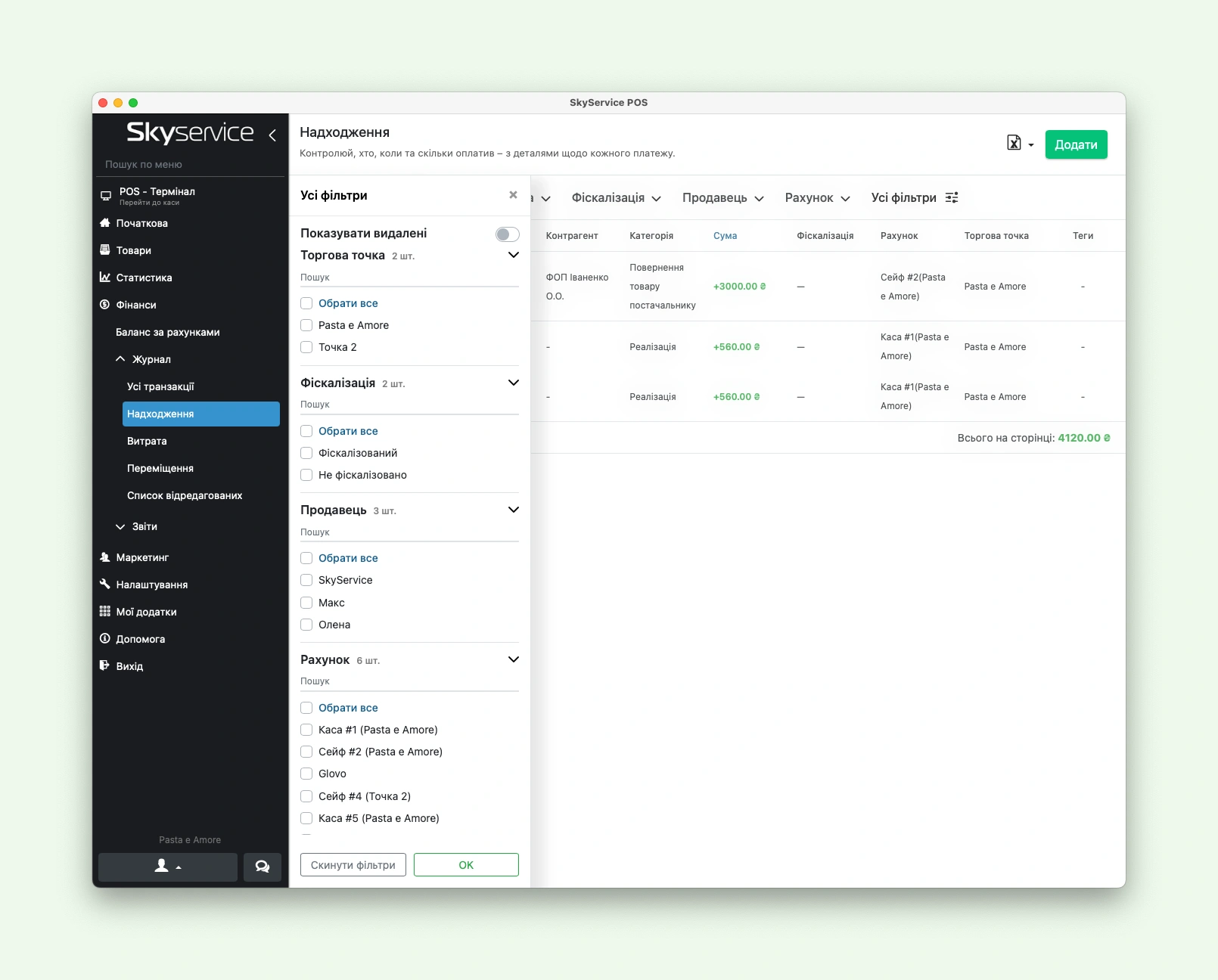
Filters by period and location
Any report can be filtered by time range and by a specific location — from a single coffee shop to your entire chain.
Visual analytics
Profit and cash flow are shown not only in tables but also in charts and graphs — the trend is clear at a glance.
Inside the Finance Module
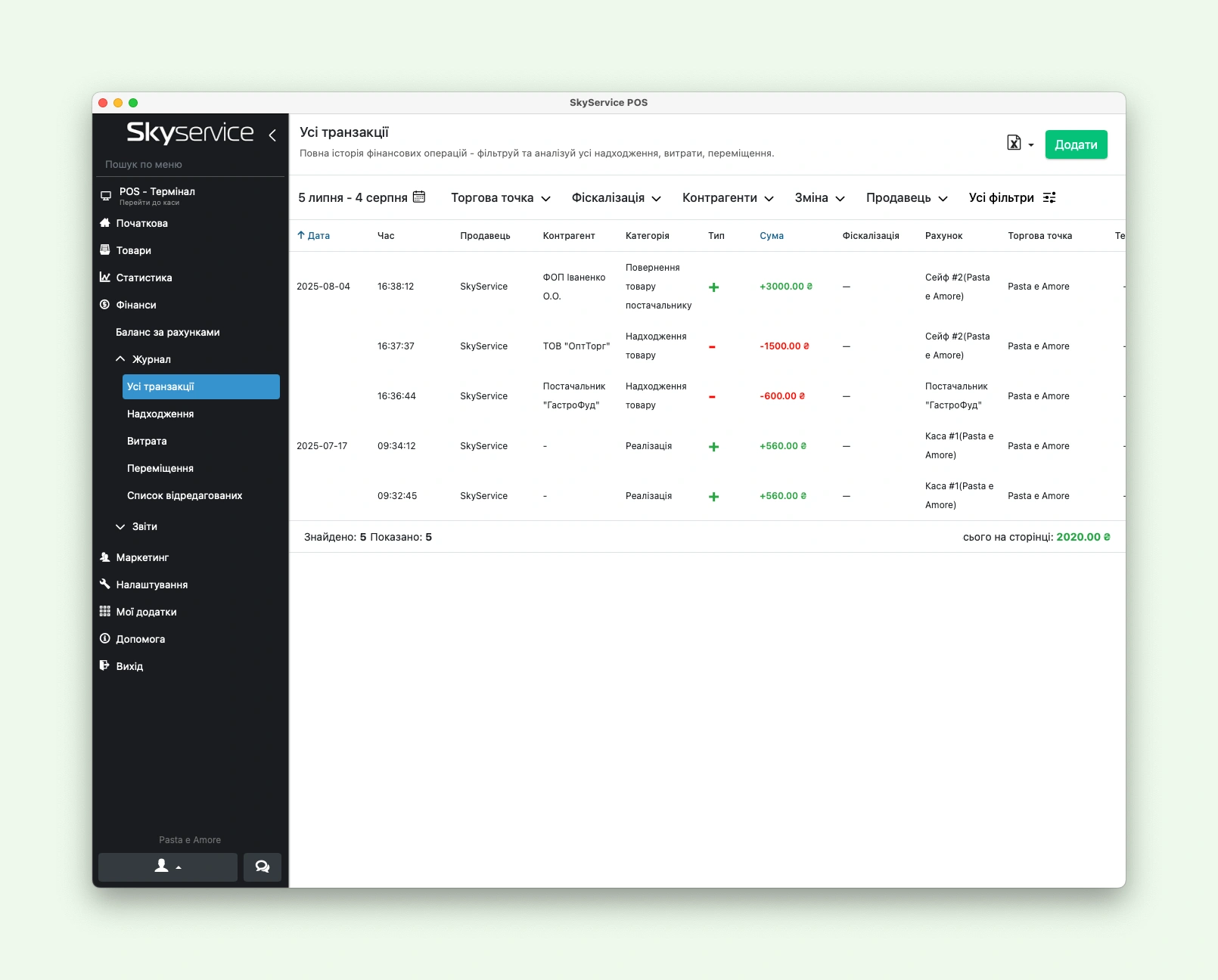
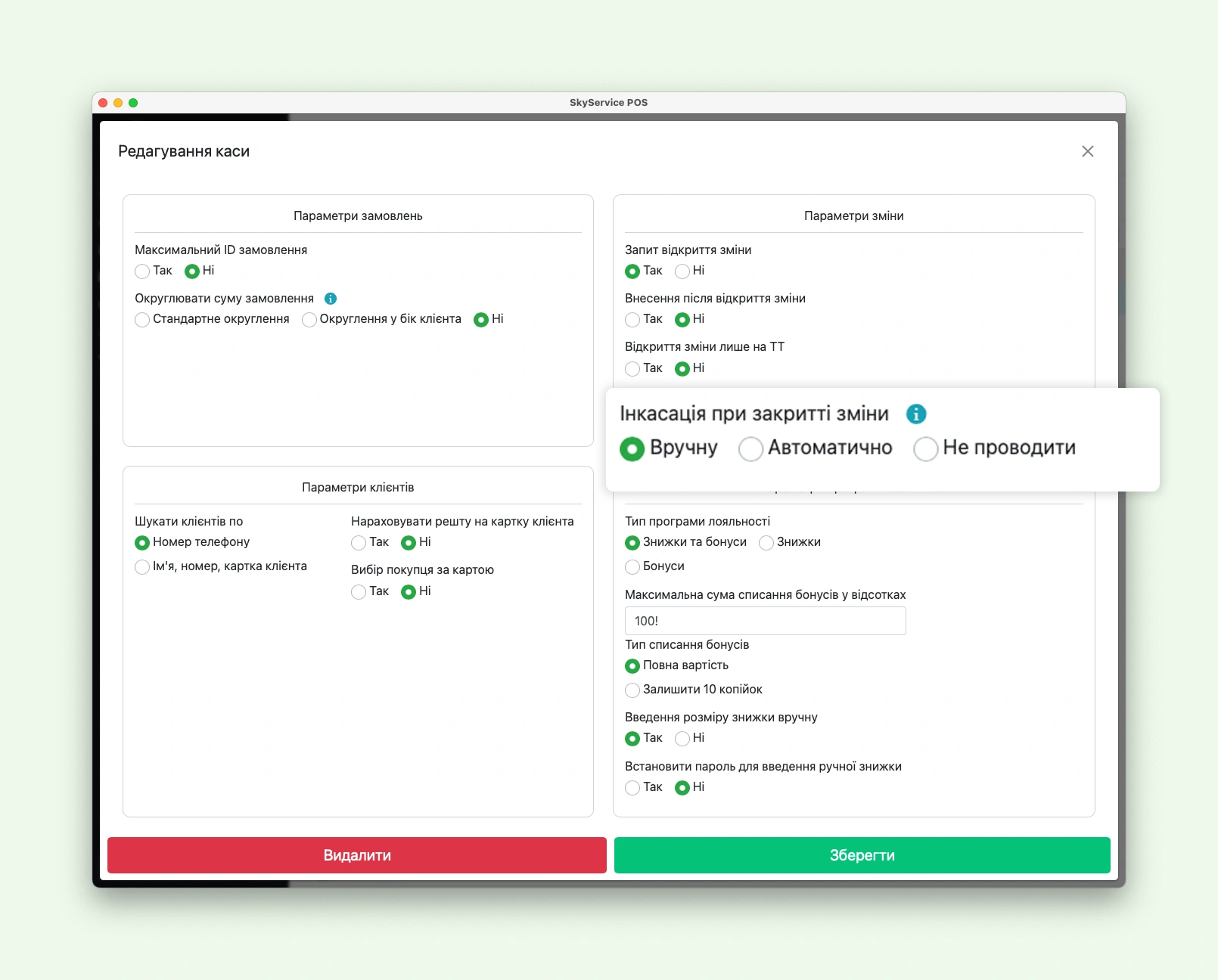
A few screens of Skyservice POS financial accounting — account movements, categories, register and reports:
What the Finance Module gives your business
- A complete financial picture instead of scattered spreadsheets — all of your business cash in one place.
- You understand your real profit, not just POS revenue — gross, operating and net.
- You see cash gaps in advance thanks to the financial calendar and CashFlow.
- You keep debts under control — customer and supplier balances via counterparties.
- You save time — reports are built automatically, without manual formulas in Excel.
- You make decisions based on data — where to invest, where to cut costs, when to raise prices.
Frequently asked questions about the Finance Module
How much does the Finance Module cost?
It's a paid Skyservice POS app that costs UAH 300 per month. You can enable and disable it in the "Apps" section, and you can try out the system for free during the trial period.
How is the Finance Module different from the basic finances in the POS?
The basic "Finances" section shows cash movements, cash collections and account summaries. The Finance Module is a management accounting layer: ready-made P&L and CashFlow reports, a financial calendar, activity types and counterparty balances. It answers not "how much is in the register" but "is the business making money and where is the money going."
What is a P&L report in plain terms?
P&L (Profit and Loss) is a profit and loss statement. It shows income, expenses and profit at three levels: gross (income minus cost of goods), operating (minus operating costs — rent, salaries) and net. This makes it clear whether the business is genuinely profitable.
What does the CashFlow report show?
CashFlow is a cash flow report: opening balance, all receipts and expenses for the period, a breakdown by activity type and transfers between accounts. There's a detailed CashFlow and a simplified monthly CashFlow with balance charts.
Who are the counterparties in the module?
Counterparties are all the parties your business deals with: suppliers, customers, employees, banks and tax authorities. For each one you can see the balance (a positive value means they owe you) and the history of all transactions and mutual settlements.
Can I keep accounting only for my core activity?
Yes. The settings include an "operating activity only" mode — the simple option for cafes, stores and salons. If your business is more complex and involves loans, deposits or investments, you switch on the "all activity types" mode.
How do I activate the Finance Module?
Go to "Apps → View all applications" (or "My apps → All apps") and enable the Finance Module. Once activated, its sections and reports appear in the Admin panel.
Can I restrict staff access to finances?
Yes. Access rights are configured in the "Settings → Employees" section: for each employee you can individually set which reports and module sections they can see.
Do I need an accountant to use the module?
No. The module is designed for the owner and manager: reports are built automatically, and the basic categories are already set up. This is management accounting, not bookkeeping — it helps you make decisions, not file statutory reports.
What kinds of businesses is the Finance Module suitable for?
For cafes and restaurants, retail stores, beauty salons, service businesses and chains — anywhere it matters to see real profit, cash flow and debts. The "operating activity only" mode covers most small businesses, while "all activity types" fits more complex companies.
Skyservice POS Finance Module — management accounting for your business
The Skyservice POS Finance Module is software for management accounting and financial control of your business. It automatically builds the profit and loss statement (P&L), the cash flow report (CashFlow), the financial calendar and counterparty balances, breaking down transactions by income and expense categories and activity types. The module shows gross, operating and net profit, helps you see cash gaps in advance, control customer and supplier debts, and make decisions based on real numbers rather than Excel spreadsheets. It's a good fit for cafes, restaurants, retail stores, beauty salons, service businesses and retail chains in Ukraine and other countries.
TRY SKYSERVICE POS FOR FREE
Just sign up and get started. The first 14 days are free.
Try for freeOther Skyservice POS features


Need help getting the Finance Module up and running?
Our support team will help you enable the Finance Module, choose the right accounting mode, set up income and expense categories, configure staff access rights and read P&L and CashFlow reports for your business. Message the Skyservice technical support chat or give us a call — consultations are free.